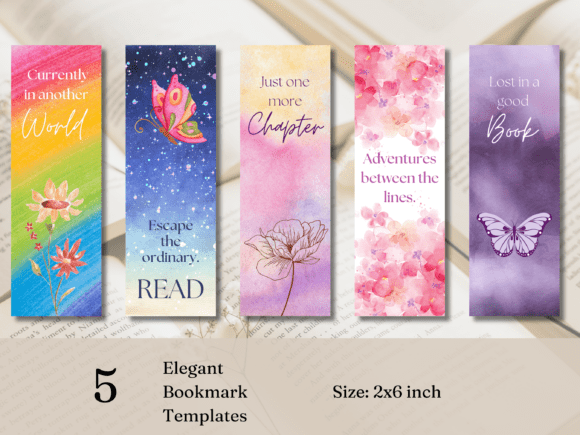
Bookmark Templates: Design Your Own Printable Bookmarks
Creating something tangible with your own hands carries a special kind of satisfaction. In our increasingly digital world, a beautifully crafted bookmark feels personal and thoughtful. For designers, crafters, and entrepreneurs, the ability to produce these items efficiently is a game-changer. This is where a versatile set of Bookmark Templates becomes an invaluable part of your creative toolkit. It’s not just about the final product; it’s about streamlining the creative process from a spark of an idea to a finished, professional-looking piece.
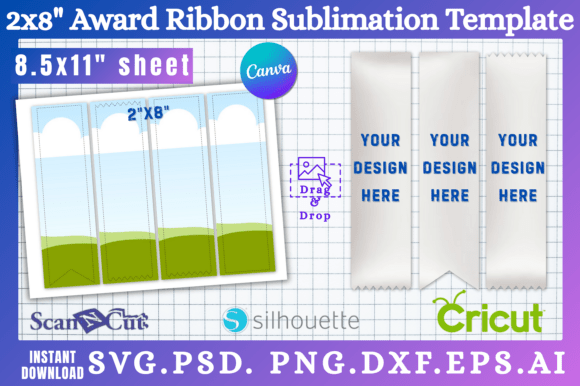
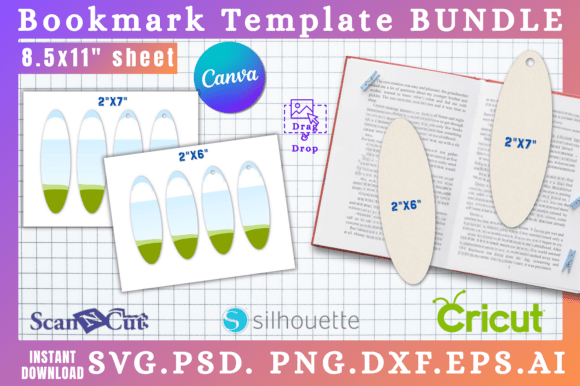
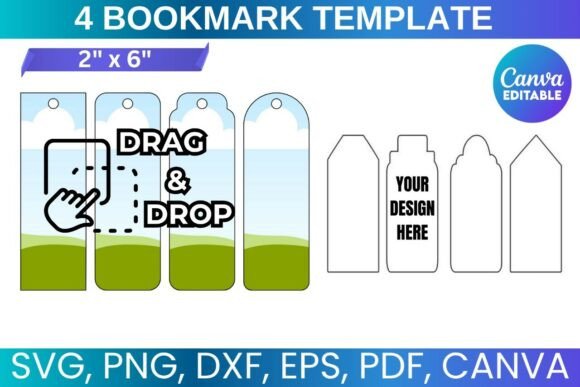
These templates are designed as a comprehensive digital solution. They provide a structured foundation, eliminating the guesswork of dimensions and layout. The set is optimized for standard 8.5"x11" paper, making home printing straightforward. The true appeal lies in the included file formats: an SVG file for vector-based cutting machines like Cricut and Silhouette, a PNG with a transparent background for layering in design software, a DXF file for Silhouette users, and a PDF with a solid white background for simple printing. Perhaps the most accessible entry point is the Canva link, which offers a drag-and-drop interface for those less familiar with advanced design programs. This multi-format approach ensures compatibility across a wide range of software, from professional suites like Adobe Photoshop and CorelDraw to free alternatives like Inkscape.
Practical Applications Across Creative Fields
The utility of a well-designed bookmark extends far beyond marking a page in a novel. For small business owners and entrepreneurs, these printable bookmarks are a low-cost, high-impact marketing tool. Imagine a boutique bookstore including a branded bookmark with every purchase, or a coffee shop using them as loyalty cards with a space for stamps. They can serve as elegant business cards for authors, contain a QR code linking to a portfolio, or promote a new product launch. The ability to customize them means your brand identity is consistently represented in a functional item customers will actually use.
For content creators, bloggers, and marketers, bookmarks are a fantastic physical extension of a digital brand. They can be included in mailers for subscribers, used as giveaways at conferences, or sold as merchandise. The templates allow you to maintain visual consistency with your website and social media graphics, reinforcing recognition. A graphic designer might use them to showcase a particular display font or color palette, while a publisher could create series-themed bookmarks to accompany book releases. The personalization aspect is key; a custom bookmark makes a gift feel more considered, whether for a book club, a wedding favor, or a teacher appreciation gift.
Design Considerations and Customization
Working with these templates is an exercise in practical modern typography and layout. The provided files act as a canvas. You can overlay your own artwork, photographs, or patterns. The real creative work happens in choosing your typefaces. A bookmark has limited space, so every element must earn its place. This is where understanding font pairing becomes crucial. You might combine a strong, legible sans serif font for the title with a delicate script font for an author's name or a short quote. The goal is a harmonious balance that is visually engaging yet instantly readable at a glance.
The personality of your bookmark is dictated by your font and design choices. A handwritten font can impart a cozy, artisanal feel perfect for a reading journal or a craft seller. A clean, geometric serif font might lend a classic, literary air suitable for a library or academic press. For a more contemporary brand, a bold display font can make a statement. The template provides the structure; your design choices provide the voice. It’s important to consider the visual hierarchy. What is the most important piece of information? Usually, it's the core graphic or title, followed by secondary details. The white space around your elements is just as important as the elements themselves, preventing the design from feeling cluttered.
From Digital File to Finished Product
The process is designed to be accessible. Starting with the Canva editable template is often the easiest path for beginners. You simply click the link, open the design in Canva's free platform, and use their intuitive tools to change text, colors, and images. The drag-and-drop functionality makes it simple to position elements. For those with more experience, using the SVG or DXF files in Cricut Design Space or Silhouette Studio allows for precise cutting, which is ideal for creating bookmarks from cardstock, vinyl, or other materials. The PDF is perfect for a quick test print on your home printer to check colors and alignment before committing to a larger run.
A few practical tips can elevate your final product. Always do a test print on regular paper first. Check that your text is large enough to be read comfortably, typically no smaller than 10pt for body text. When printing on thicker cardstock for durability, adjust your printer settings accordingly. If you plan to sell your creations, ensure you are using fonts and graphics for which you have the proper commercial license. The template files themselves come with a license for both personal use and for creating physical products for sale, which is a significant advantage for entrepreneurs. This is a one-time purchase that grants you lifetime use, making it a sustainable design asset for your business or hobby.
In essence, these bookmark templates are more than just a download; they are a gateway to creating professional, personalized physical goods. They bridge the gap between digital design and tangible output, empowering you to produce items that enhance brand perception, engage your audience, and add a personal touch to any project. Whether you're a seasoned designer looking for efficiency or a hobbyist exploring your creativity, having a reliable set of templates simplifies the journey from concept to creation.