Mastering Canva Mockup Templates for Visual Impact
Understanding the Anatomy of a Professional Mockup
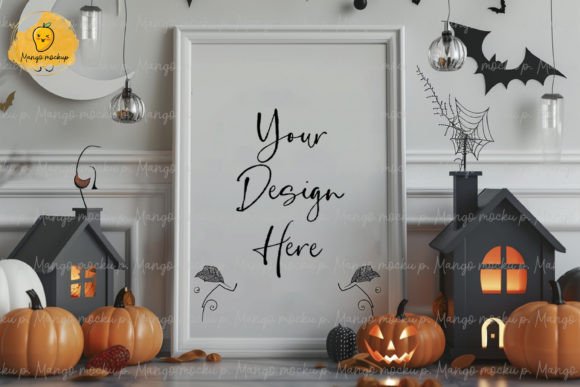
When you are building a brand or launching a product, the gap between a digital file and a physical reality can be jarring. This is exactly where Canva Mockup Templates bridge the divide. You are not just getting a set of static images; you are accessing a curated visual environment designed to simulate real-world textures, lighting, and depth. The visual personality of these templates leans heavily into realism. We are talking about high-resolution photography combined with smart object replacements that allow your designs to drape naturally over coffee cups, sit flush against laptop screens, or lay perfectly flat on textured paper.
The appeal here is in the details. A good mockup does more than just show what a logo looks like; it shows what a logo feels like. By utilizing the specific layouts provided in this bundle—specifically the 1080×1080 PX formats—you are working with a canvas that is optimized for digital consumption. The visual hierarchy is already established for you. The lighting is consistent, the shadows are realistic, and the background elements are curated to ensure your subject remains the focal point. This is not about generic placeholders; it is about creating a tangible atmosphere for your brand identity.
Strategic Applications for Modern Creators
The versatility of these assets is what makes them indispensable for a wide range of professionals. If you are a social media manager or a content creator, the square aspect ratio is your best friend. It dominates the Instagram grid and performs exceptionally well on Facebook and Pinterest. Instead of posting a flat JPEG of a new t-shirt design, you can present it on a model or folded neatly on a table. This immediately elevates the perceived value of the product.
For entrepreneurs and small business owners, these templates serve as a rapid prototyping tool. Before you spend thousands of dollars on a professional photoshoot, use Canva Mockup Templates to test your packaging design. Does the label look right on the glass jar? Is the typography on the business card legible when viewed from a distance? These templates allow you to answer those questions instantly.
Furthermore, graphic designers and brand strategists can use these files to create compelling pitch decks. Walking a client through a branding presentation is significantly more effective when you can show them their new logo on a storefront sign or a branded notebook rather than just a white background. It helps the client visualize the future of their company, making the approval process much smoother.
Design Principles: Readability and Hierarchy in Context
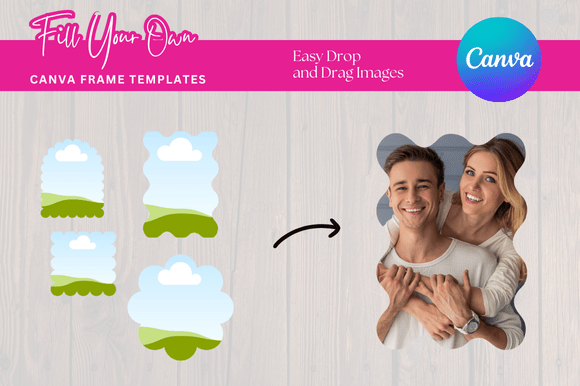
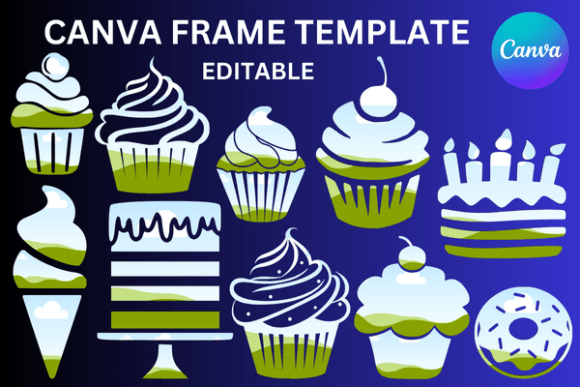
One of the most overlooked aspects of using mockups is how they influence the readability of your design. A beautiful typeface can get lost if placed on a busy background within a mockup. When working with the Canva Frame Mockup variations included in this package, pay close attention to contrast. If your brand uses a sans serif font with thin weights, ensure it is placed on a mockup surface that has a lighter, uniform texture to maintain legibility.
Visual hierarchy is also critical. The mockup itself acts as a frame. If your design is intricate and detailed, choose a mockup with a shallow depth of field—a background that blurs slightly. This keeps the viewer's eye locked on your work. Conversely, if you are selling a "lifestyle" brand, you might choose a wider shot where the environment is just as important as the product. The goal is to use the template to guide the viewer's eye exactly where you want it to go.
Practical Workflow and Customization
Efficiency is the name of the game for marketers and publishers. The included PDF with the Canva link streamlines your workflow. You do not need to be an expert in Adobe Photoshop to use these. Once you click the link, the file opens directly in your Canva editor. From there, the process is intuitive.
Here is a practical approach to getting the most out of these design assets:
- Layer Management: When you open the template, check your layers panel. You want to ensure your uploaded design sits perfectly between the shadow layers and the highlight layers of the mockup. This creates the illusion of depth.
- Color Harmony: Use the eyedropper tool to sample colors from the mockup photo itself. If you are creating a header image for a blog post, matching your text color to a subtle accent in the mockup photo creates a cohesive, professional look.
- Font Pairing: If you are overlaying text onto the mockup, choose typefaces that complement the vibe of the image. A rustic, handwritten font pairs beautifully with a wood-grain mockup, while a clean, geometric modern typography style works best with concrete or marble surfaces.
Elevating Brand Identity Through Presentation
Ultimately, the tools you use signal your level of professionalism to your audience. Using high-quality Canva Mockup Templates demonstrates that you care about presentation. It tells your audience that you value the details. Whether you are a crafter selling digital downloads on Etsy or a hobbyist showcasing a portfolio, consistency is key. By using a unified set of mockups, you create a recognizable aesthetic across all your platforms.
Remember, these are digital products